Why is the extension version in the changelog different from the latest version available via my Composer keys?
Sometimes the latest version in an extension's changelog doesn't match the latest version you see through Composer. In most cases there are two reasons.
1. The changelog shows the subscription or the meta-package version, but you're checking a different package.
Most Amasty extensions are available through a subscription package or have a meta-package. These are packages that contain everything the extension has: the core module plus any dependent optional packages, such as GraphQL support, Hyvä compatibility or other related subscription modules.
The changelog most often lists versions of the subscription package or the non-subscription meta-package. Each package inside it has its own version number. That includes the core module and every dependency, so their numbers may not match the changelog, because they have their own latest version.
For example, the changelog might show 3.7.0:
At the same time, the core module (amasty/product-attachment) is at 3.6.0:
Both can be the latest versions available, depending on the package you're checking.
How to verify:
1) Open your project's composer.json and locate the Amasty package name listed in the "require" section. Alternatively, you can verify the package name in your amasty.com account by checking the "Composer name" field under the extension name.
2) Check which versions are available to you: composer show <amasty/subcription-meta-package-name> --all
3) Compare this version with the changelog.
The core module is always installed as a dependency of the subscription/meta-package, so it's not required to install it separately.
Additionally, for some modules the changelog contains both the versions of the subscription package and the core module. In such cases, the version of the core module can be checked in the section without the plan in the parentheses:
2. You're looking at the changelog for a different plan.
Many Amasty extensions come in several tariffs, such as Lite, Pro and Premium. Each plan is a separate subscription package with its own version numbers and release history. A version or feature listed for one plan may not apply to another. 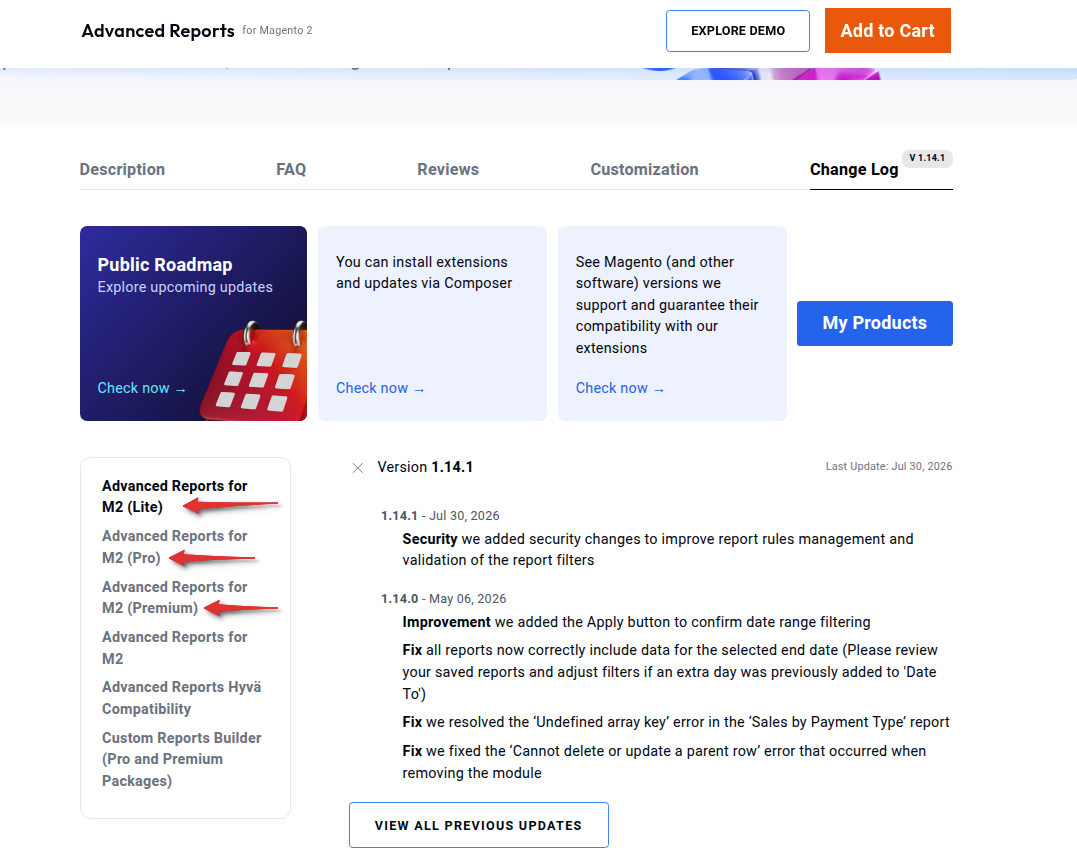
If you open the changelog for Lite but have the Pro plan, the latest version there won't match what you get through Composer. For example, the Advanced Reports extension comes in three tariffs - Lite, Pro and Premium. All of them have their own tab in the changelog on the extension page with their respective versions. These versions represent the latest version of the non-subscription meta-packages:
- The Lite plan (amasty/module-reports-lite) has the 1.14.1 version as its latest
- The Pro plan (amasty/module-reports-pro) has the 1.7.1 version
- The Premium plan (amasty/module-reports-premium) has the 2.5.1 version
- The core module (amasty/module-advanced-reports) has the 1.11.1 version as its latest
How to verify:
1) Log in to your Amasty account and go to Products to see which plan you purchased.
2) On the extension's product page, open the changelog for your plan.
3) Verify the version for your exact plan.
If neither of the points above clarified the issue on your side and there is a discrepancy between the versions available to you and the changelog, please contact our support team.