Search results are different in the pop-up and search results page. What can I check?
If you notice discrepancies between the products displayed in the autocomplete pop-up and those shown on the search results page, we recommend checking the following settings to resolve the issue:
Step 1. Ensure Modules Are Updated to the Latest Versions
First, verify that all relevant modules are updated to the latest versions. Keeping your extensions up to date ensures compatibility with the latest features and fixes. You can check this article if you require some help with the updating process.
First, verify that all relevant modules are updated to the latest versions. Keeping your extensions up to date ensures compatibility with the latest features and fixes. You can check this article if you require some help with the updating process.
Step 2. Check Autocomplete Popup Indexation Settings
Navigate to Amasty > Advanced Search > Configuration > General and make sure that the Enable Indexation for Autocomplete Popup setting is enabled. This setting helps to synchronize the products displayed in the autocomplete pop-up with the search results.
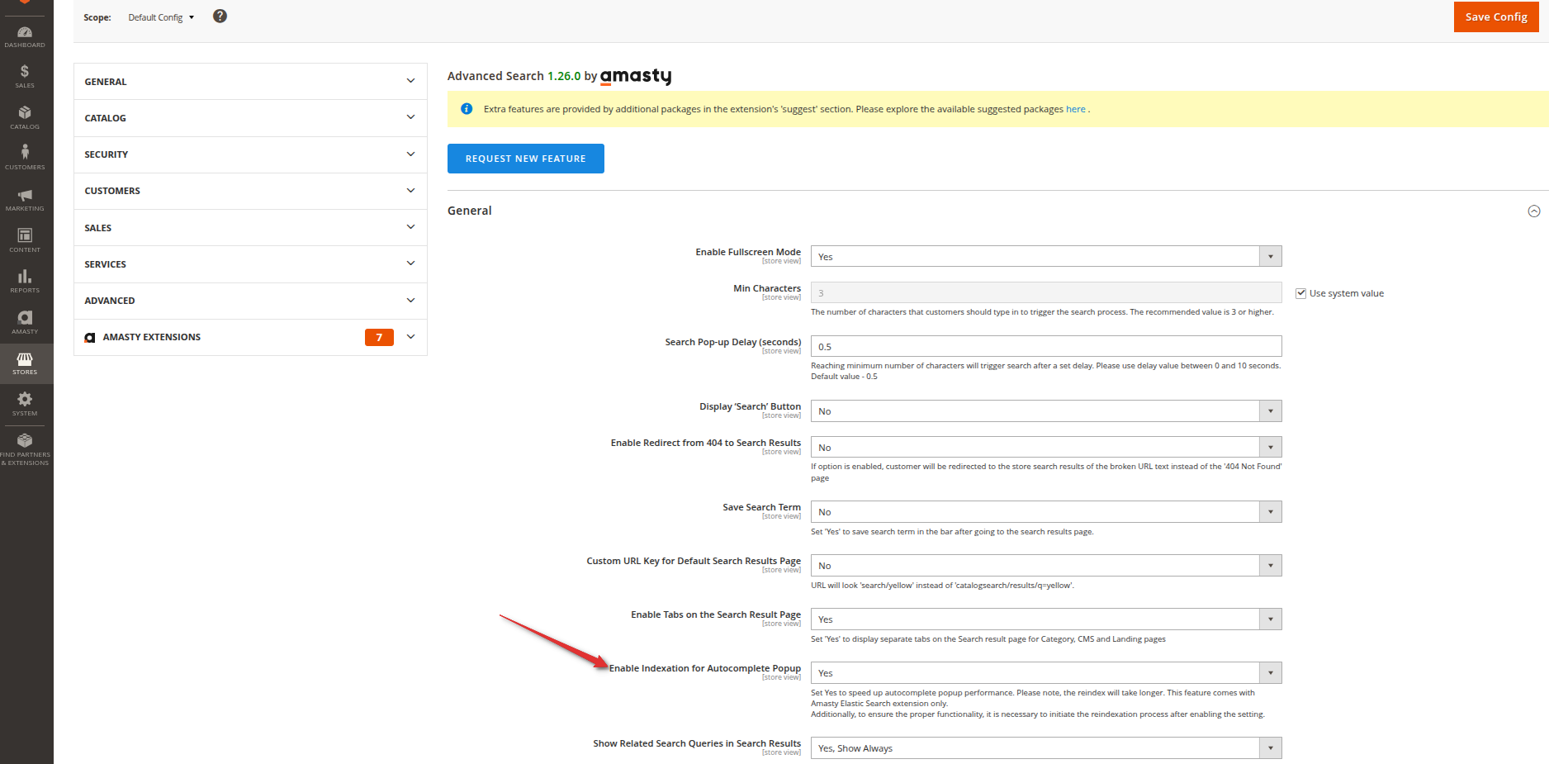
Navigate to Amasty > Advanced Search > Configuration > General and make sure that the Enable Indexation for Autocomplete Popup setting is enabled. This setting helps to synchronize the products displayed in the autocomplete pop-up with the search results.
Step 3. Verify Relevance Rules for Autocomplete Results
In the same Amasty > Advanced Search > Configuration > Products section, ensure that the Apply Relevance Rules to Autocomplete Popup Results setting is enabled. This option ensures that the same relevance rules applied to search results are also applied to the autocomplete pop-up, keeping consistency.
Step 4. Check Sorting Settings (If Using Improved Sorting)
If you're using the Improved Sorting extension, go to Amasty > Improved Sorting > Configuration and check if additional sorting options are configured under Default Sorting on Search Pages. These sorting settings can lead to discrepancies in how products are displayed on the search results page versus the pop-up.
If you're using the Improved Sorting extension, go to Amasty > Improved Sorting > Configuration and check if additional sorting options are configured under Default Sorting on Search Pages. These sorting settings can lead to discrepancies in how products are displayed on the search results page versus the pop-up.
If the issues with Elastic Search persist after all the checks and adjustments, please contact our support team.