How can I cancel and uninstall your app?
If you no longer plan to use our app, you can cancel your subscription and/or uninstall the app. The steps vary depending on the platform your store uses.
Shopify app
To cancel your subscription: Go to Apps > [App Name] > Pricing > Cancel
To uninstall the app (this will automatically cancel the subscription): Go to Settings > Sales Channels > [App Name] > Uninstall
Ecwid app
To uninstall the app and cancel your subscription, go to Admin Panel > Apps > My Apps > [App Name] > Uninstall
Wix app
To cancel your subscription, go to Apps > [App Name] > Plans
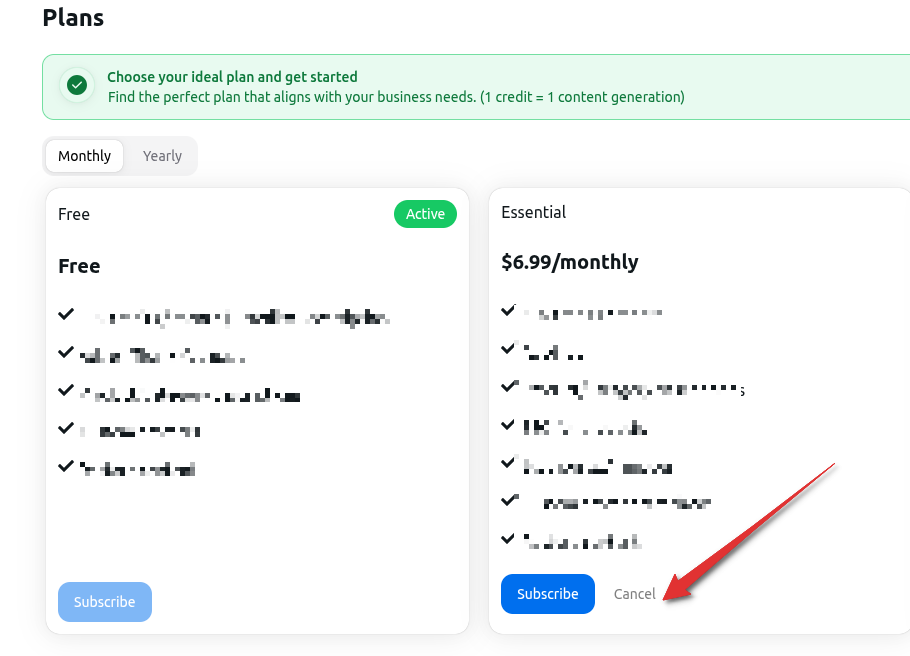
To uninstall the app and cancel your subscription, go to Admin Panel > Apps > Manage Apps > [App Name] -> More App Action > Delete App
To uninstall the app and cancel your subscription, go to Admin Panel > Apps > Manage Apps > [App Name] -> More App Action > Delete App
This process ensures that your subscription is properly canceled and the app is removed from your store.
Related Articles
My Omnibus Price Tracker Subscription is confirmed but redirecting to plan selection: how to resolve?
If you’re experiencing issues where you're redirected to the plan selection screen despite confirming your subscription, follow these steps to resolve it: 1) Uninstall the app: Go to Apps and Sales Channel Settings > Select Omnibus Price Tracker > ...What content can I generate with the help of the WritePilot ChatGPT AI Content app?
The WritePilot ChatGPT AI Content app provides the functionality to produce content for various aspects of the store. Depending on the level of your subscription, you have the ability to create the subsequent types of content: ⇾ product description ...How to install an app to my Shopify store?
Step 1. Access the Shopify App Store and log in to your account. Step 2. Open the details page of the desired app and press the Install button. Step 3. Within your Shopify admin interface, grant permission for app usage by selecting the Install app ...What languages does the WritePilot ChatGPT AI Content app support?
Our WritePilot ChatGPT AI Content app is compatible with all languages that ChatGPT itself supports. You can refer to resources like this article to find a list of languages that are supported by ChatGPT. To set the required language in our app, ...Can we set up different price lists for different markets using the FeedFusion: Product Feed Sync app?
Unfortunately, the moment, our the FeedFusion: Product Feed Sync app doesn’t support price lists.
Announcements
⚡ Have you enlarged the functionality of the Amasty extension with your own code? Share your improvements with us!
At Amasty, we understand that some of our clients require customized features to perfectly align the extension with their business needs. If you have developed new functionality within an Amasty module and would like to share it, please submit a ticket